Skip to content
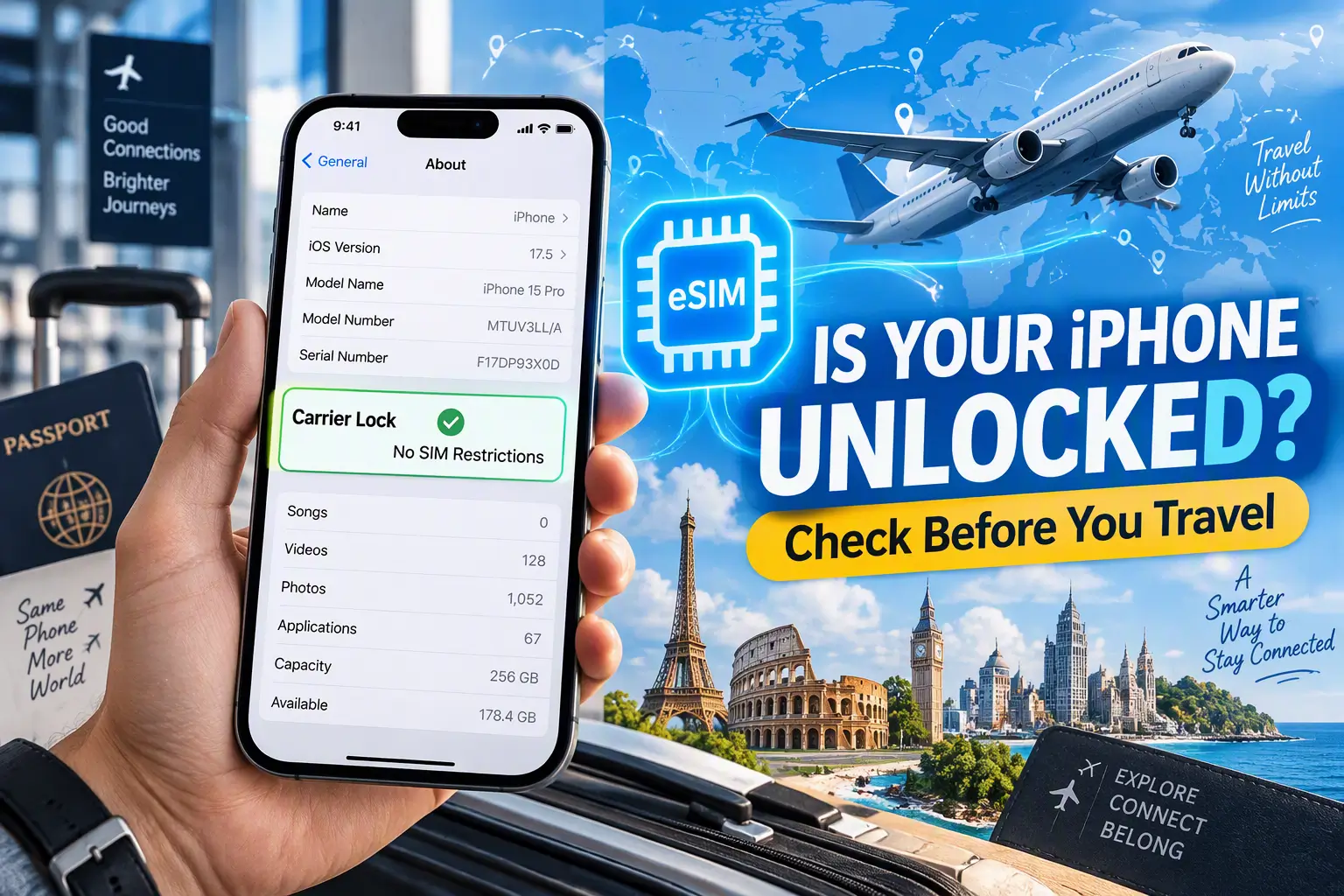
Check your iPhone carrier unlock status before buying a travel eSIM from another provider. Apple says an iPhone must not be locked to a carrier to use another carrier’s eSIM while traveling. 1
An iPhone can support eSIM technology and still be locked to one carrier. iPhone eSIM compatibility and carrier-unlock status are separate checks: one confirms the phone can use an eSIM; the other determines whether it can use a plan from a different carrier.
How to check your iPhone carrier unlock status
On your iPhone:
- Open Settings.
- Tap General, then About.
- Find Carrier Lock.
- If it says No SIM Restrictions, Apple identifies your iPhone as unlocked. 1
If you see a carrier name, another restriction, or no clear status, don’t assume the phone is unlocked. Contact the carrier the iPhone is locked to and ask them to confirm its status.
What “No SIM Restrictions” means
This status means the iPhone is unlocked for use with another carrier. It does not confirm that a particular eSIM plan supports your model, destination, or region. Check those details separately before purchase. 1
What if your iPhone is locked?
Only your current carrier can unlock your iPhone. Apple can’t unlock it for you. Contact the carrier and ask whether your device is eligible, what steps you need to take, and how long the request may take. Apple says the process may take a few days, so check well before your trip.
After the carrier confirms the unlock, check Settings > General > About > Carrier Lock again. If the status remains unclear, ask the carrier to confirm that the unlock has been applied to the device.
Do not rely on advice to bypass a carrier lock. Unlock eligibility and requirements depend on your carrier and account.
Before you buy a travel eSIM
Check each item separately:
- Your exact iPhone model and region support eSIM. Apple lists iPhone XS, iPhone XS Max, iPhone XR, or later in its travel guidance, but model and country/region exceptions apply. Check Apple’s current iPhone travel-eSIM requirements and eSIM Move’s device compatibility page.
- Your iPhone is unlocked if the travel eSIM is from a different carrier or provider. “No SIM Restrictions” is Apple’s stated check. 1
- The plan covers your destination. Browse eSIM plans by destination and confirm the current plan details before purchase.
- You can complete setup. Apple says an iPhone should be connected to Wi-Fi or a hotspot to set up an eSIM, with some country or region exceptions. Follow the instructions supplied by your eSIM provider. 1
Being unlocked does not guarantee that every eSIM plan will work. The model, region, provider, destination, and plan requirements still need to match.
This guide concerns travel eSIMs from a different provider. If you plan to use an eSIM from your existing carrier, ask that carrier whether the plan can be added while your phone is locked.
Frequently asked questions
Can a carrier-locked iPhone use a travel eSIM?
For a travel eSIM from a different carrier, Apple says the iPhone must not be carrier-locked. If you want an eSIM from your current carrier, ask that carrier about its terms. 1
Does eSIM support mean my iPhone is unlocked?
No. eSIM support and carrier-lock status are different. Check Settings > General > About > Carrier Lock; Apple says No SIM Restrictions means the iPhone is unlocked. 2
Can Apple unlock my iPhone?
No. Apple says only the current carrier can unlock an iPhone. Contact that carrier to check eligibility and timing. 2
If my iPhone is unlocked, will any travel eSIM work?
Not necessarily. You must also check that the exact model and regional version support eSIM and that the provider’s plan supports your destination and device. Use Apple’s current guidance and the provider’s plan details before purchasing. 1